The Best Fluffy Pancakes recipe you will fall in love with. Full of tips and tricks to help you make the best pancakes.
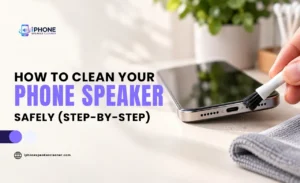
How to Clean Your Phone Speaker Safely (Step-by-Step)

If your phone’s audio suddenly sounds muffled, tinny, or quieter than usual, the problem is often something surprisingly simple: gunk stuck in the speaker. Pocket lint, dust, dirt, and even trapped moisture can build up in those tiny speaker openings over time, and once they do, sound quality suffers.
The good news is that cleaning your phone speaker isn’t complicated. The tricky part is doing it safely; the speaker grille and the components behind it are delicate, and the wrong tool or too much force can push debris further in instead of out.
Here is exactly how you can clean phone speakers step by step, what to avoid, and what to do if cleaning doesn’t fully fix the problem:
Why Does Your Phone Speaker Need Cleaning?
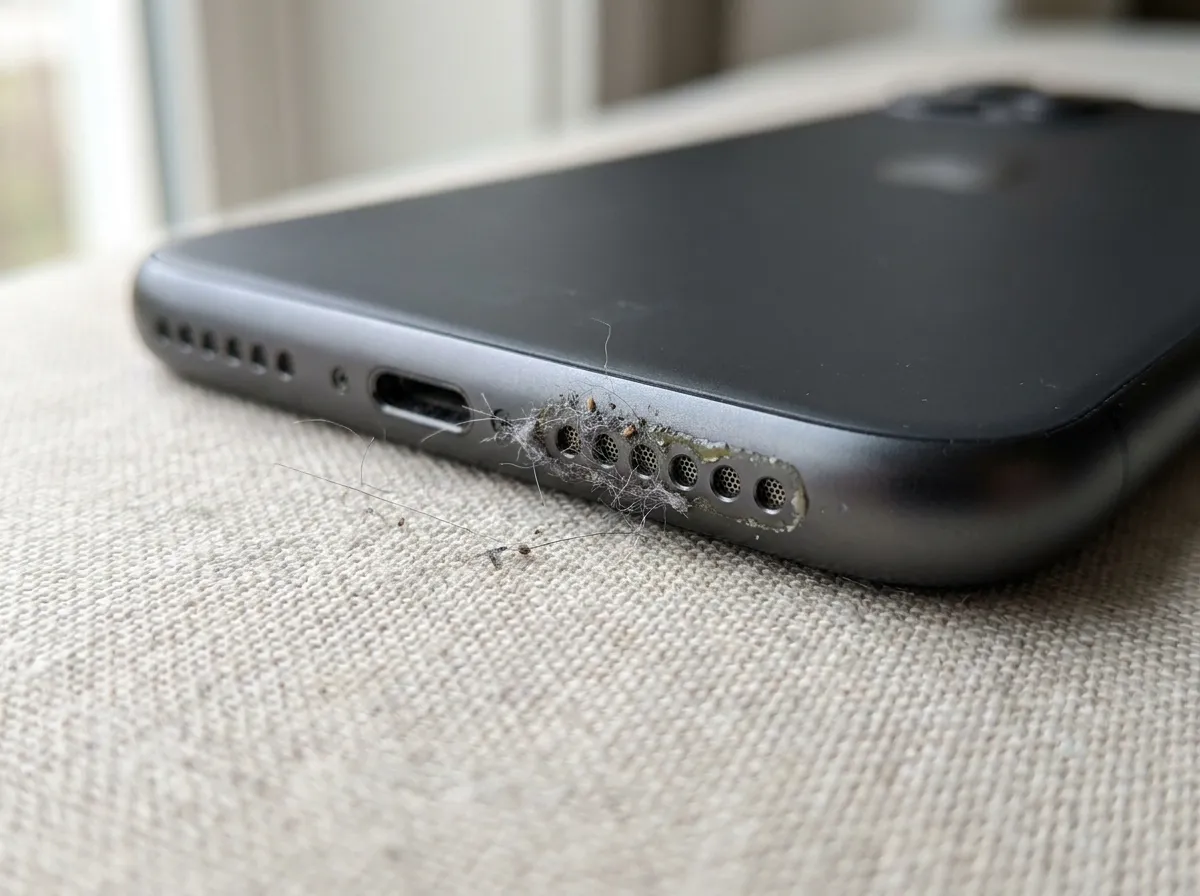
Phone speakers sit in small, exposed openings that are constantly collecting particles from everyday life.
Here are a few of the most common culprits:
- Pocket lint — from being carried in pockets or bags, lint gets pulled into the speaker grille over weeks and months.
- Dust — ordinary household and outdoor dust settles into the tiny holes, especially if you often set the phone down on soft surfaces.
- Dirt and debris — outdoor use, dropping the phone, or setting it on dirty surfaces can introduce grit directly into the openings.
- Moisture — sweat, rain, splashes, or humidity can leave behind residue once the water evaporates, which sometimes muffles sound even after the phone has dried.
- Everyday wear — skin oils, makeup residue, and general handling add up over time even without any single dramatic incident.
Individually, these seem minor. But because speaker openings are so small, even a thin layer of buildup can block sound waves from moving freely. That’s what causes the muffled, quiet, or distorted audio that sends most people searching for a fix.
Best Ways to Clean Your Phone Speaker Safely
Before touching your speaker, it helps to have a plan. Cleaning in the wrong order, or using the wrong tool first, is how people accidentally make things worse.
Here’s a safe, sensible sequence to follow:
1. Turn Off and Unplug Your Phone
Power off your phone and disconnect it from any charging cable or accessories before you start. This protects against short circuits if any moisture is present, and it stops the speaker from being active (and potentially damaged) while you’re working around it.
2. Check the Speaker Grille for Dust and Debris
Hold your phone under good lighting, ideally with a magnifying glass or your phone’s own camera zoomed in, and inspect the speaker openings closely. Look for visible lint, dust clumps, or debris sitting in or around the holes. This tells you whether you’re dealing with light surface dust or something more embedded.
3. Use a Soft, Dry Cleaning Method
Start with the gentlest option available:
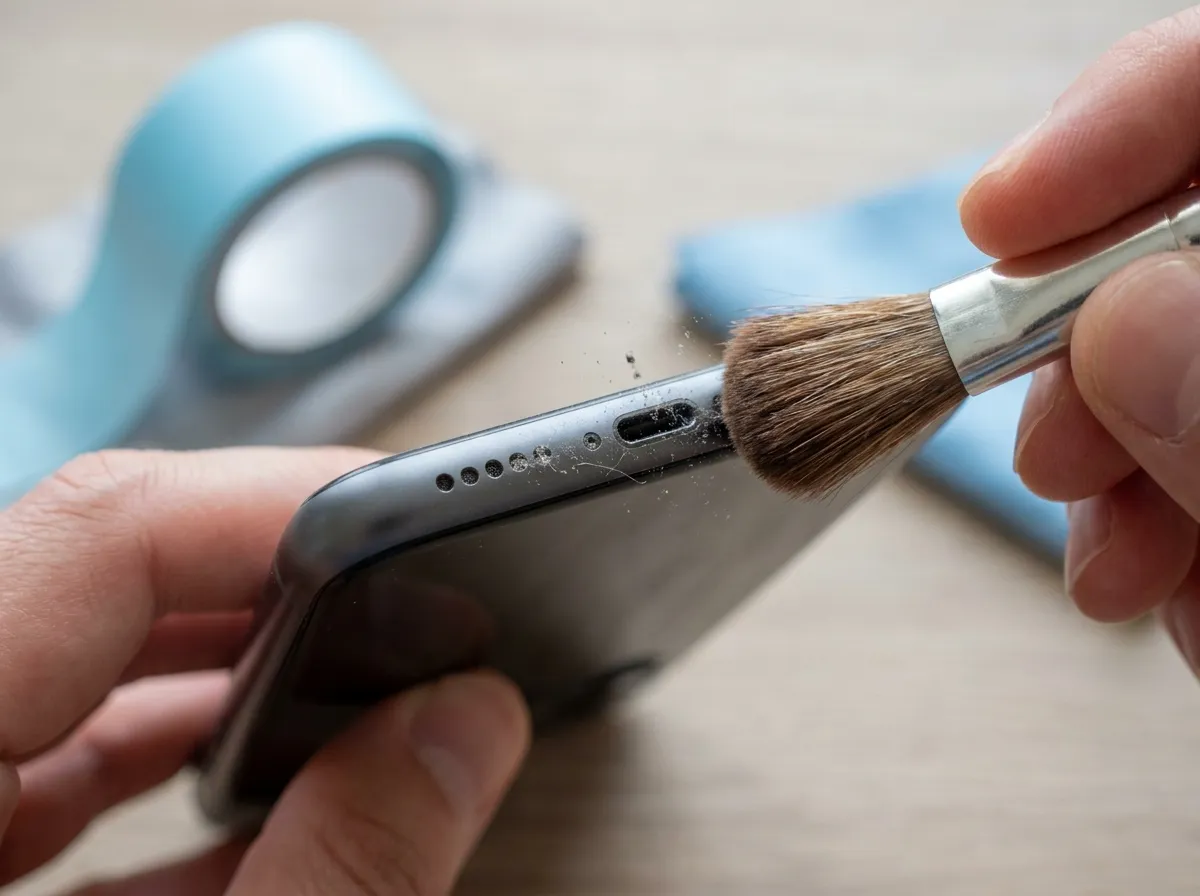
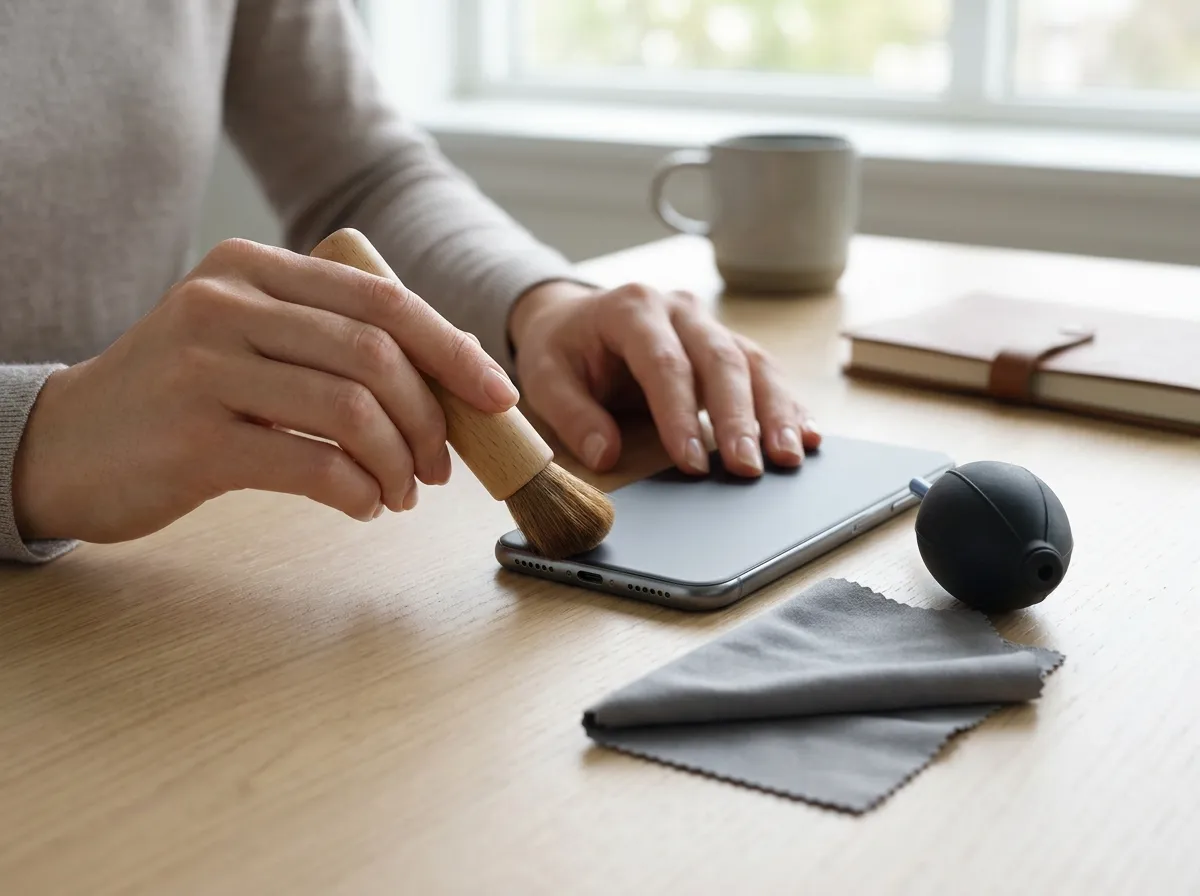
1. Use a clean, dry, soft-bristled brush (a new, unused small paintbrush or a dedicated electronics cleaning brush works well) and lightly sweep across the grille in one direction.
2. Alternatively, use a small piece of low-tack tape (like painter’s tape) — gently press it over the speaker opening and lift it away to pull out loose particles without pushing anything deeper.
3. Avoid anything wet at this stage. Dry methods should always come first.
4. Clean the Speaker Openings Gently
If a soft brush doesn’t fully clear the openings, a can of compressed air held at a distance and used in short bursts can help dislodge stubborn particles. Keep the phone angled so debris can fall out rather than get pushed further in, and never hold the can too close or use a long, continuous blast.
5. Test the Speaker After Cleaning
Turn your phone back on and play something with a range of sound, a voice memo, a song, or a video. Listen for whether the audio sounds clearer, and check if the volume feels back to normal. This step tells you whether you’re done or whether more cleaning (or a different approach) is needed.
How to Remove Dust and Dirt From a Phone Speaker
Once you’ve done a first cleaning pass, it’s worth taking a closer look at what’s actually causing the blockage, since dust and dirt don’t always respond to the same fix.
Fine dust tends to sit as a light film across the grille and usually lifts with a dry brush or a puff of air. Pocket lint, on the other hand, often collects as small fibrous clumps right at the edge of the openings — this is where the tape method tends to work better than brushing, since brushing can sometimes just move lint around instead of removing it.
If you’re dealing with actual dirt or grit (say, after the phone was set down outdoors or dropped), be extra careful with pressure. Grit can scratch the fine mesh that often sits just behind the visible speaker holes, so light, repeated passes are safer than one aggressive attempt to scrub it all out at once.
Here are some of the few practical pointers you should know:
- Work in one direction rather than scrubbing back and forth, which can drive particles inward.
- Clean in short sessions rather than trying to get every speck out in one go.
- If you can see debris but it’s not coming loose with gentle methods, stop and reassess rather than pushing harder.
How to Clean Phone Speaker Holes Without Damaging Them
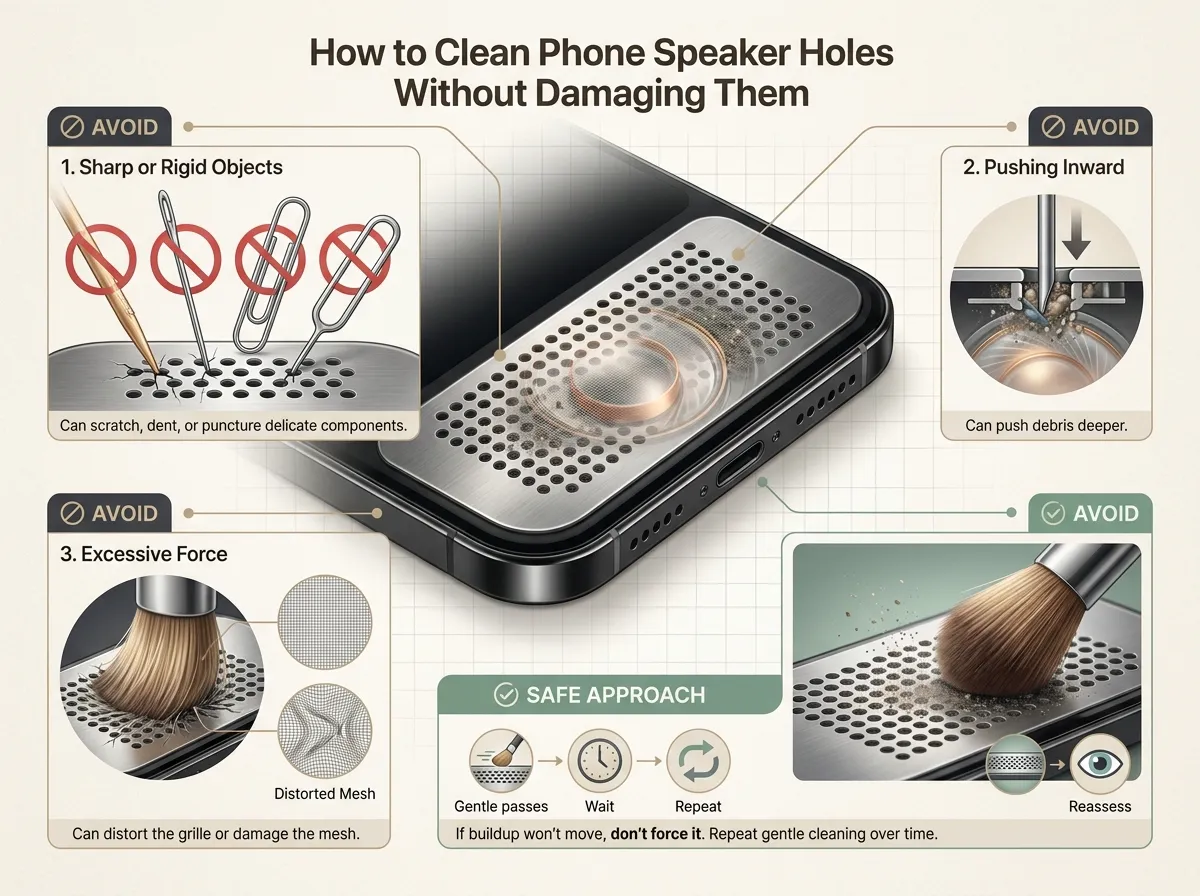
The speaker holes themselves are the most fragile part of this whole process. They’re small by design, and there’s delicate hardware, a diaphragm, and thin protective mesh sitting just behind them.
That means the goal isn’t just to clean the holes; it’s to clean them without altering their shape or damaging what’s underneath.
A few things to avoid completely:
- Sharp or rigid objects — toothpicks, needles, paperclips, or SIM ejector tools can scratch, dent, or puncture components that are only fractions of a millimeter away.
- Pushing inward — any tool inserted into the hole risks pressing debris deeper rather than pulling it out, which can make the blockage worse and much harder to reach.
- Excessive force — pressing hard with a brush or cloth can distort the grille opening or damage the mesh behind it.
If you can see buildup that a brush, tape, or air can’t budge, the safest approach is usually patience: repeat gentle cleaning over a day or two rather than escalating to something more aggressive. Some blockages simply take a few careful passes to fully clear.
Can a Speaker Cleaning Sound Help?
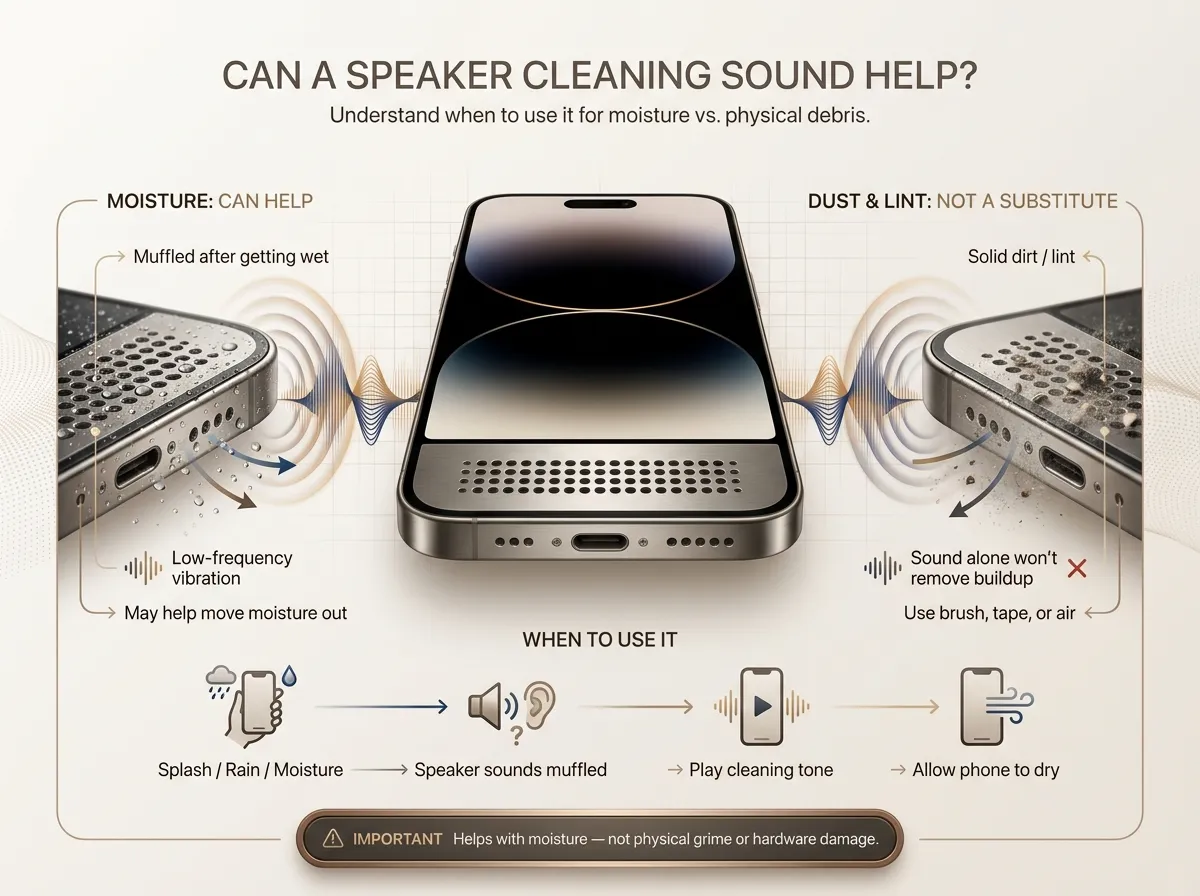
Alongside physical cleaning, some people also try using an audio tone or frequency-based method, often called a speaker cleaning sound. The idea is that certain low-frequency vibrations can help shake loose light debris or nudge trapped moisture out of the speaker opening, similar to how some smartwatches use a tone to eject water after swimming.
It’s worth being clear about what this can and can’t do. A cleaning sound isn’t a substitute for physically removing solid dirt or lint sitting in the grille; that still needs a brush, tape, or air. Where it tends to be more useful is with moisture: if your speaker sounds muffled after getting wet, a vibration-based tone can sometimes help work water out of the opening as the phone dries.
This is exactly the kind of situation where our iPhone Speaker Cleaner tool fits into the process. It plays a tone designed to help move moisture out of the speaker, and it’s a reasonable step to try after a splash, a rainy walk, or a drop in the sink — used alongside the physical cleaning steps above, not instead of them.
It’s not a fix for physical grime, and it won’t repair a speaker that’s actually been damaged. Think of it as one more tool in the process, best used for moisture-related muffling rather than dust or dirt.
What Not to Use to Clean Your Phone Speaker
A lot of speaker damage isn’t caused by dirt at all — it’s caused by the cleaning attempt itself. Steer clear of these:
- Sharp or pointed objects (pins, needles, paper clips) — these can pierce the fine mesh behind the grille.
- Excessive pressure — pressing hard with any tool can deform the tiny openings or crack surrounding plastic.
- Liquids of any kind, including water, alcohol, or cleaning sprays — moisture can seep past the grille and cause corrosion or short circuits.
- Aggressive compressed air, held too close or blasted continuously — this can push debris deeper or, in some cases, stress the speaker diaphragm.
- Tape or adhesives that are too sticky — strong adhesive can leave residue behind or pull at delicate components.
- Toothbrushes with stiff bristles — these are often too rigid and can scratch the grille surface.
If a method feels like it requires force to work, it’s usually a sign to stop and try something gentler instead.
How to Know If Your Phone Speaker Is Still Blocked
After cleaning, it’s worth confirming whether it actually worked. Signs your speaker may still have a blockage include:
- Muffled sound that hasn’t improved compared to before cleaning
- Lower volume even at maximum settings
- Distorted or crackling audio, especially at higher volumes
- Inconsistent sound, where audio cuts in and out or varies unexpectedly
- Reduced clarity, particularly with voices or higher-pitched sounds
- Sound that got worse after exposure to moisture, which often points to trapped water rather than dry debris.
If you notice any of these after a cleaning attempt, it’s reasonable to repeat the gentle cleaning steps once more before assuming something more serious is going on.
What If Your Phone Speaker Still Sounds Muffled After Cleaning?
Sometimes cleaning helps but doesn’t fully resolve the issue, and that’s a useful signal in itself. A few possibilities to consider:
- Remaining debris — a small amount may still be lodged in a spot that’s hard to reach with basic tools.
- Trapped moisture — water can sit deeper than surface cleaning reaches, especially after full submersion.
- Software or audio settings — check that media volume, equalizer settings, or accessibility audio adjustments haven’t been changed accidentally.
- Bluetooth or audio routing issues — confirm your phone isn’t still connected to a Bluetooth device or another audio output in the background.
- Physical speaker damage — a diaphragm that’s been damaged (from a drop, water exposure, or age) can cause permanent distortion that cleaning won’t fix.
- Hardware failure — in rare cases, the speaker component itself may need replacement.
If you’ve cleaned carefully, tested the speaker, ruled out software and connection issues, and the problem persists, it’s a reasonable point to get the phone looked at by a professional or an authorized repair service rather than continuing to troubleshoot at home.
Frequently Asked Questions
1. What is the safest way to clean a phone speaker?
Start dry: a soft brush or low-tack tape to lift out loose dust and lint, followed by short bursts of compressed air held at a distance if needed. Avoid sharp objects and liquids.
2. How do I get dust out of my phone speaker?
A soft, dry brush swept gently across the grille usually handles light dust. For finer dust that clings, a brief burst of compressed air from a few inches away can help finish the job.
3. Can I clean my phone speaker with a sound?
An audio-based tone can help with moisture-related muffling by helping vibrate water out of the opening, but it won’t remove solid dirt or dust — that still requires physical cleaning first.
4. Can water make my phone speaker sound muffled?
Yes. Water trapped in or around the speaker opening is one of the most common causes of sudden muffled sound, and it can also leave mineral residue behind once it dries.
5. How often should I clean my phone speaker?
There’s no fixed schedule; it depends on how and where you use your phone. A quick visual check every few weeks, with cleaning only when you notice buildup or a change in sound, is a practical approach.
6. Can cleaning damage a phone speaker?
Yes, if the wrong method is used. Sharp objects, excessive pressure, and liquids are the most common causes of accidental damage during cleaning attempts.
7. What should I do if my phone speaker is still quiet after cleaning?
Double-check volume and audio settings first, then confirm the phone isn’t connected to another audio device. If the speaker still sounds off after that, it may be worth having it inspected professionally.
Get Your Phone Speaker Sounding Clear Again
Most muffled or quiet phone speakers can be traced back to something simple: dust, lint, dirt, or trapped moisture sitting in the openings. Gentle, dry cleaning methods, a soft brush, low-tack tape, and careful use of compressed air solve the majority of these cases without any risk to the phone.
Avoid sharp tools, excessive force, and liquids, and always test the speaker after cleaning to see whether the issue is actually resolved. For moisture-related muffling specifically, an audio-based option like our iPhone Speaker Cleaner can be a helpful next step alongside physical cleaning.
And if sound quality still isn’t right after all of that, it’s a fair sign the issue may be hardware-related and worth having checked by a professional rather than continuing to troubleshoot on your own.