The Best Fluffy Pancakes recipe you will fall in love with. Full of tips and tricks to help you make the best pancakes.
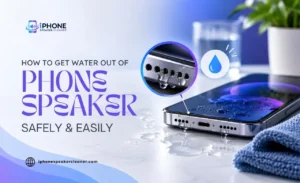
How to Get Water Out of Your Phone Speaker Safely and Easily

If your phone speaker sounds muffled, quiet, or crackly after getting wet, water is very likely sitting somewhere inside the speaker opening. The good news is that this is one of the most common and most fixable phone speaker problems there is. The key is removing the moisture safely, without pushing anything into the speaker or making the problem worse.
This tell if water is actually the cause, safe ways to get it out, if a cleaning solution can help, and how to know if the problem has gone beyond something you can fix at home.
How Do You Know There Is Water in Your Phone Speaker?
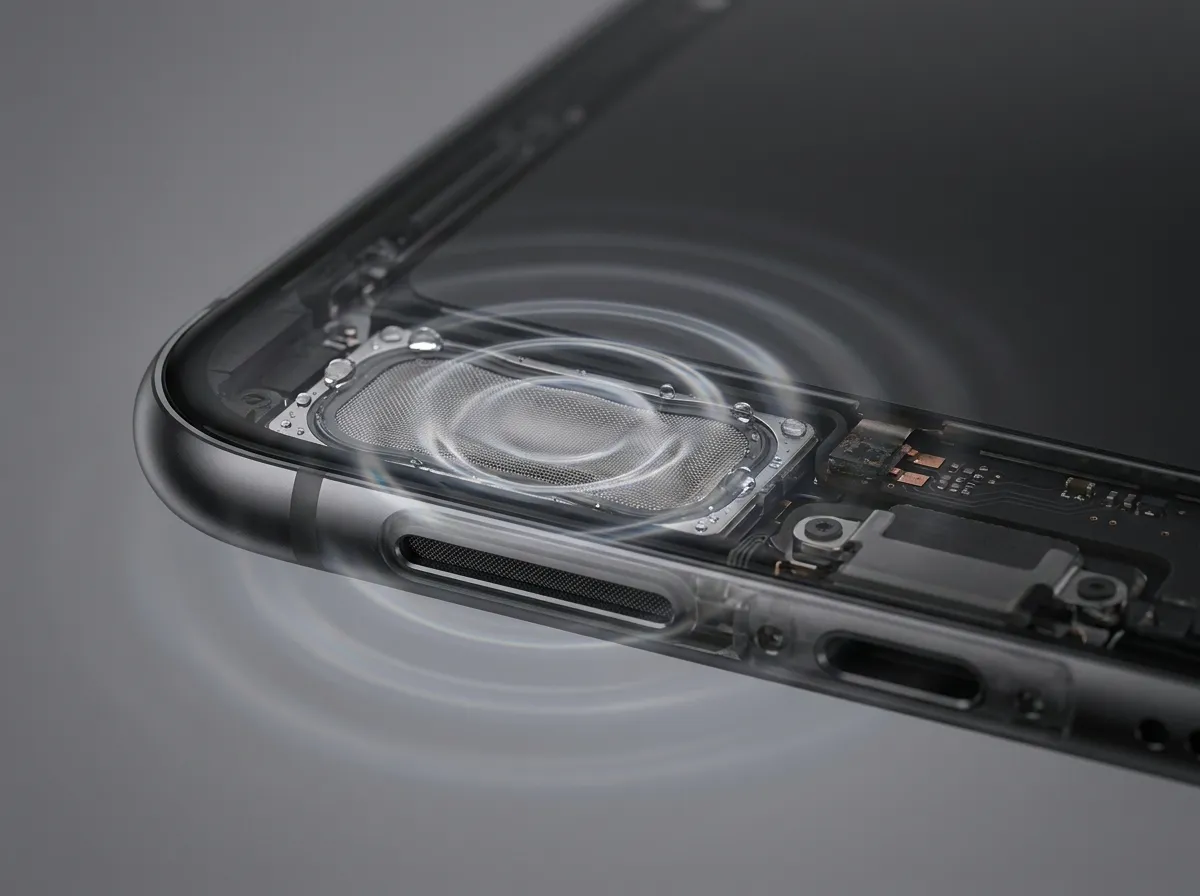
Water in a phone speaker usually shows up as a change in how the phone sounds rather than anything visible.
Common signs include:
- Audio that sounds muffled or like it’s coming from underwater
- A noticeable drop in volume compared to normal
- Crackling, buzzing, or a fuzzy quality to the sound
- Sound that seems to come and go, or shift as you move the phone
- The change happening right after rain, a splash, sweat exposure, or a drop in water
If any of these started immediately after your phone got wet, water in the speaker opening is a reasonable first explanation. It’s worth checking the speaker grille under good lighting as well, since you can sometimes see a faint sheen of moisture or notice the openings look slightly different than usual.
What Happens When Water Gets Into a Phone Speaker?
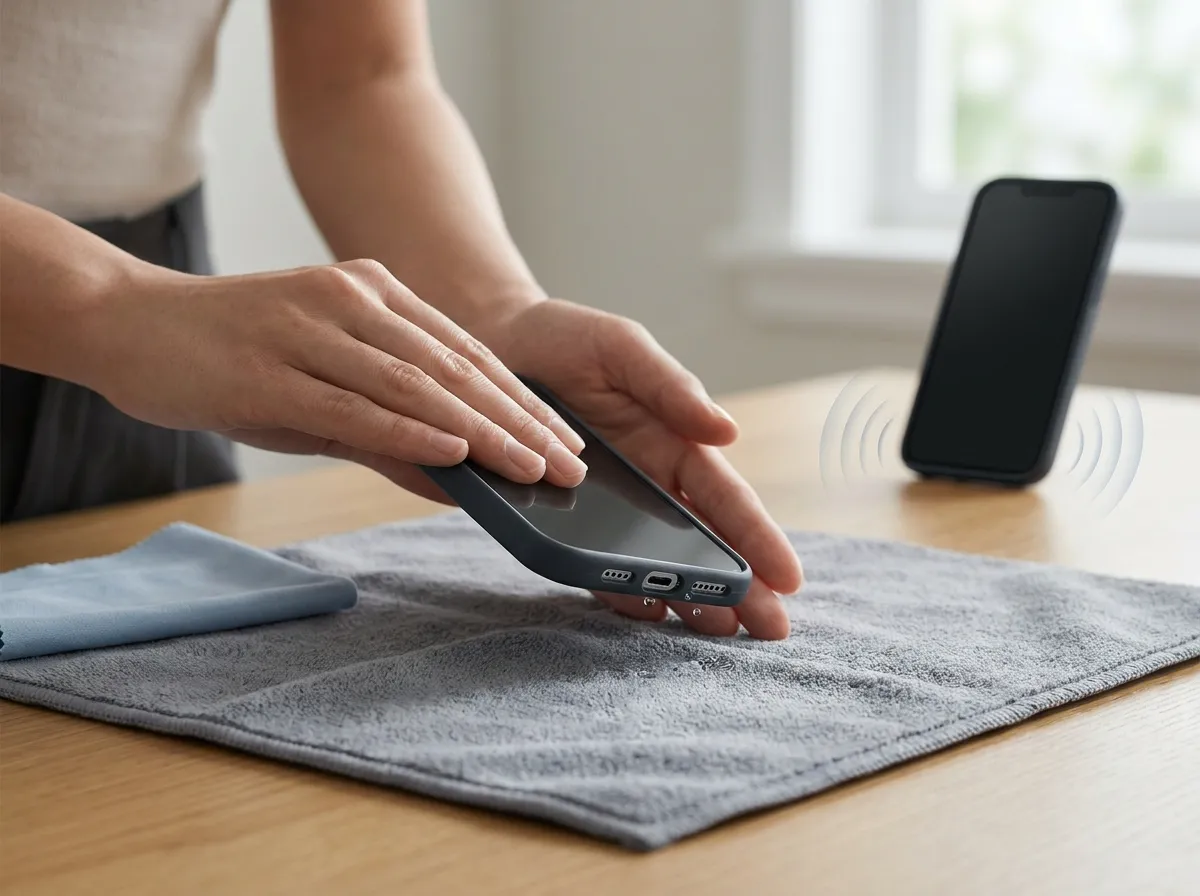
A phone speaker works by vibrating a small diaphragm to produce sound waves. When water gets into the opening, it can sit against that diaphragm or fill the tiny gaps around it, which changes how freely it can move.
This is why water damage often sounds like muffling rather than complete silence. The speaker is usually still functioning, just partially obstructed, similar to how your own hearing sounds different with water in your ear. In most cases, this is temporary and resolves once the moisture fully clears.
That said, water that sits for a longer period, or that came from a deeper submersion rather than a light splash, carries a higher risk of causing longer-term issues, including corrosion on small internal contacts. That’s part of why acting fairly soon after the exposure, and using the right removal methods, makes a real difference.
Explore our Android Speaker Cleaner
How to Get Water Out of a Phone Speaker
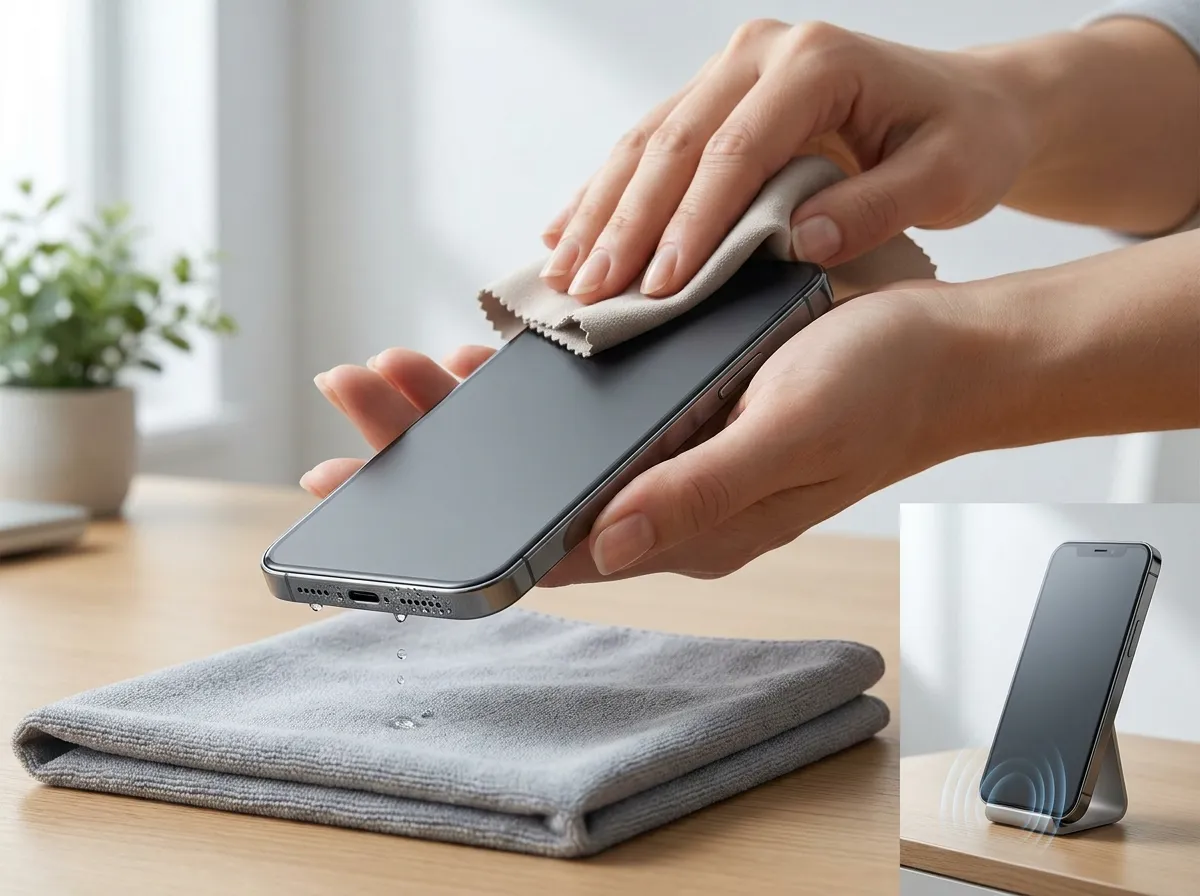
If you suspect water in the speaker, working through these steps in order gives the moisture the best chance to clear safely.
1. Stop Using the Phone for Audio Temporarily
Playing sound right after water exposure can push moisture around rather than out, so give it a short break first before testing anything or playing media.
2. Gently Tap the Phone
Hold the phone with the speaker facing downward and tap it lightly against your palm a few times. This can help dislodge water sitting near the opening without needing to insert anything into it.
3. Wipe the Exterior Dry
Use a soft, lint-free cloth to remove any visible moisture from around the speaker grille and the rest of the phone before moving on to the drying steps below.
4. Let Gravity Help
Prop the phone up at an angle with the speaker facing down and leave it for a while so any remaining moisture can drain naturally. A few things to keep in mind:
- Rest it on a soft towel rather than a hard surface
- Angle it so the speaker opening points toward the ground, not sideways
- Avoid propping it against anything that traps air around the speaker
5. Place the Phone in a Dry, Room Temperature Spot
Once the initial moisture has had a chance to drain, move the phone somewhere it can continue drying passively.
Look for a spot that offers:
- Normal room temperature, not somewhere hot or cold
- Reasonable airflow rather than an enclosed space
- No direct sunlight, which can cause uneven heating
6. Give It Real Time
Moisture inside small openings can take longer to clear than you’d expect. Several hours, and sometimes overnight, is often more effective than trying to speed things up with heat or pressure.
7. Test the Speaker Afterward
Play something with a normal range of sound and listen for whether the muffling or crackling has improved.
Here are a few things worth listening for:
- Whether overall volume feels closer to normal
- Whether crackling or buzzing has reduced or disappeared
- Whether the sound stays consistent rather than fading in and out.
None of these steps involve inserting anything into the speaker, applying heat, or using compressed air aimed directly at the opening, since all of those carry a real risk of pushing water deeper or causing damage.
Can Sound Help Get Water Out of a Phone Speaker?
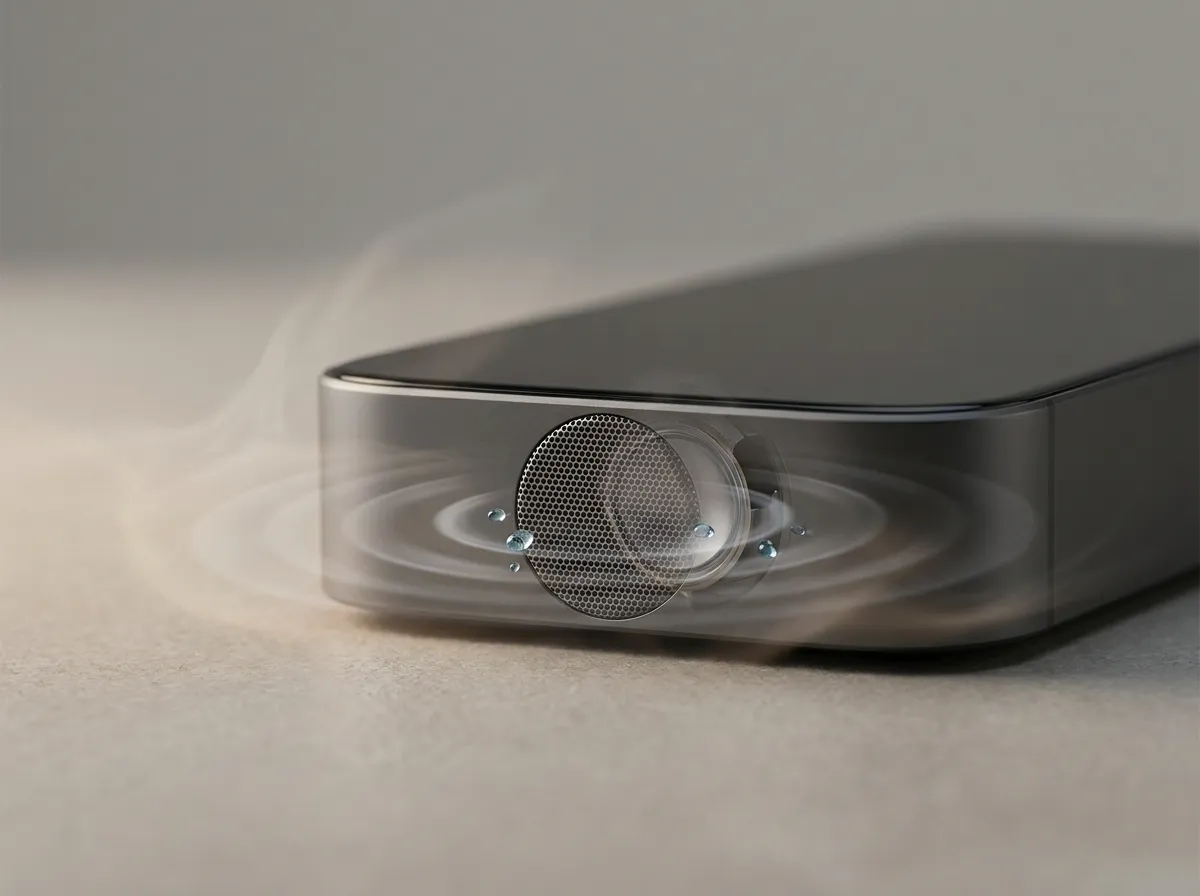
Alongside physical drying, some phones and specific tools use sound to help move trapped water out of a speaker opening. The idea is straightforward: certain frequencies cause the speaker diaphragm to vibrate in a way that can help nudge water toward the opening, where it’s more likely to drain or evaporate.
This isn’t a new concept. It’s similar to the built-in water eject feature found on many smartwatches, which plays a low-frequency tone after detecting water exposure. The same general principle can apply to a phone speaker, using a tone designed to encourage vibration without pushing the speaker to an unsafe volume.
It’s worth being realistic about what this can and can’t do. A cleaning sound is generally most useful for light to moderate moisture, where the speaker is still functioning but sounds affected.
It isn’t a substitute for basic drying, and it won’t do anything for water that has already caused internal corrosion or physical damage. Sound-based methods work best as a complement to drying time, not a replacement for it.
How to Remove Water From a Phone Speaker Without Sound
If you’d rather not use a sound-based method, or want to try physical steps first, there are several reliable options that don’t involve any audio at all.
Gentle tapping remains one of the most effective non-audio methods. Holding the phone speaker side down and tapping it lightly against your hand can dislodge water through simple movement and gravity, without needing any vibration from the speaker itself.
Air drying is the other major option, and patience matters more here than most people expect. Leaving the phone speaker side down in a dry, well-ventilated spot for several hours, or even overnight, allows moisture to evaporate naturally. A small fan pointed nearby, without direct contact, can help slightly by improving airflow, though it isn’t necessary.
Silica gel packets, the kind that come with shoes or electronics packaging, can also help draw moisture out of the air immediately around the phone if you place the phone in a container with a few of them. This isn’t as targeted as drying methods aimed directly at the speaker, but it can support the overall drying process.
Whichever method you choose, avoid rice. Despite being a commonly repeated suggestion, rice is not an effective desiccant for phones and can leave dust or starch residue in openings like the speaker grille, which creates a new problem on top of the original one.
Why Does Your Phone Speaker Sound Muffled After Water Exposure?
Muffled sound after water exposure comes down to the same basic mechanism described earlier: water sitting in or around the speaker restricts how the diaphragm vibrates, which reduces clarity and volume in a way that resembles a barrier over the speaker.
This muffling is often uneven. You might notice certain frequencies, like higher-pitched sounds or voices, are affected more than others. That’s normal and doesn’t necessarily indicate anything more serious than moisture, since water doesn’t dampen every frequency equally.
The muffling should gradually improve as the phone dries, whether through passive air drying, gentle tapping, or a sound-based method. If it hasn’t changed at all after a full day of drying, that’s a signal to look more closely at whether something beyond simple moisture is involved.
Can Water Cause Buzzing or Distorted Speaker Sound?
Yes, buzzing and distortion are both common symptoms of water in a phone speaker, not just muffling. As water interacts with the diaphragm, it can cause it to vibrate unevenly, which produces a buzzing or rattling quality rather than clean sound.
This tends to be more noticeable at higher volumes, since the diaphragm is moving more and has more opportunity to interact unpredictably with any trapped moisture. Distortion caused by water usually improves as the phone dries, similar to muffled sound, though it may take a bit longer to fully resolve.
If buzzing or distortion continues well after the phone appears completely dry, and after trying both physical drying and a sound-based method, that combination is more suggestive of a lingering issue rather than simple ongoing moisture.
How to Tell If Water Is Still Inside the Speaker
A few practical checks can help you judge whether moisture is still present or whether the speaker has fully recovered.
- Listen at a normal volume first. Play something familiar and compare it to how the phone normally sounds.
- Check for consistency. Water-related issues often fluctuate slightly as the phone moves or as more moisture clears, so intermittent sound can point toward remaining moisture.
- Give it time between checks. Testing every few hours rather than constantly is more useful, since drying happens gradually rather than all at once.
- Compare speakers if your phone has more than one. A clear difference between two speakers on the same device can help confirm that one specific opening still has moisture.
If sound has improved but isn’t fully back to normal after a day of drying, continued patience combined with a sound-based method is often the next reasonable step before considering anything more serious.
Can a Speaker Cleaning Sound Help With Trapped Water?
For water that’s proving stubborn after basic drying, a dedicated speaker cleaning sound can be a useful next step rather than a first resort. The general principle is the same as described earlier: a tone designed to vibrate the diaphragm can help work remaining moisture toward the opening, particularly once the bulk of the water has already had time to drain or evaporate on its own.
This is where an online tool built specifically for this purpose can help, since it removes the guesswork of finding an appropriate frequency and volume yourself. After drying the phone, you can use the iPhone Speaker Cleaner tool to play a suitable cleaning sound and test whether the speaker sounds clearer afterward.
It’s important to keep expectations realistic. A cleaning sound cannot repair a damaged diaphragm, reverse corrosion, or fix a speaker that has suffered genuine hardware failure.
If distortion, crackling, or low volume continues after drying and a sound-based attempt, that pattern points toward something more than surface-level moisture, and it may be time to consider professional evaluation rather than repeated attempts at home.
When Should You Stop Trying to Remove Water Yourself?
Most water-related speaker issues resolve within a day or so of proper drying, with or without a sound-based method added in. There are situations, though, where continuing to troubleshoot at home stops being productive.
Consider stopping and seeking professional inspection if:
- The phone was submerged for an extended period rather than briefly splashed
- Sound has shown no improvement at all after a full day of drying
- Distortion or crackling is severe rather than mild
- The speaker has gone completely silent rather than muffled
- Other parts of the phone are also behaving unusually, which can suggest broader liquid exposure
- You notice any physical signs of damage, like corrosion visible around ports or connectors
These situations suggest the water may have affected more than just the speaker opening, and further DIY attempts carry more risk of frustration than benefit at that point.
How to Prevent Water Damage to Your Phone Speaker
While not every situation is avoidable, a few habits reduce how often speakers end up dealing with water in the first place. Being mindful in obviously wet conditions, like heavy rain, pool areas, or the bathroom during a shower, goes a long way, since a lot of speaker moisture comes from everyday situations rather than dramatic accidents.
If your phone has an official water resistance rating, it’s still worth checking the manufacturer’s specific guidance, since these ratings usually come with limits on depth, duration, and water pressure that are easy to underestimate.
Cases designed with speaker cutouts that sit flush against the phone can sometimes trap moisture rather than prevent it, so it’s worth checking whether your case design allows water to drain rather than pool near the speaker opening.
And if your phone does get splashed or wet, drying it promptly rather than waiting is one of the simplest ways to prevent temporary moisture from becoming a longer-lasting problem.
Final Steps to Restore Clear Speaker Sound
Getting water out of a phone speaker safely comes down to patience more than any single trick.
Below is the practical sequence:
- Confirm the symptoms match water exposure rather than another cause.
- Gently tap the phone with the speaker facing down.
- Dry the exterior and let the phone rest speaker-down in a well-ventilated spot.
- Give it real time, often several hours or overnight, before assuming it hasn’t worked.
- Test the speaker at a normal volume and listen closely.
- Try a sound-based cleaning method if muffling or distortion remains after drying.
- Watch for signs that suggest something beyond simple moisture, and seek professional help if they appear.
Most phones recover fully from water exposure with time, gentle drying, and a bit of patience. When moisture proves more stubborn, a proper cleaning solution is a reasonable next step, and if the problem still doesn’t clear, that’s useful information too. It suggests the issue has likely moved beyond moisture alone, and a closer look from a professional is the more sensible next step.